
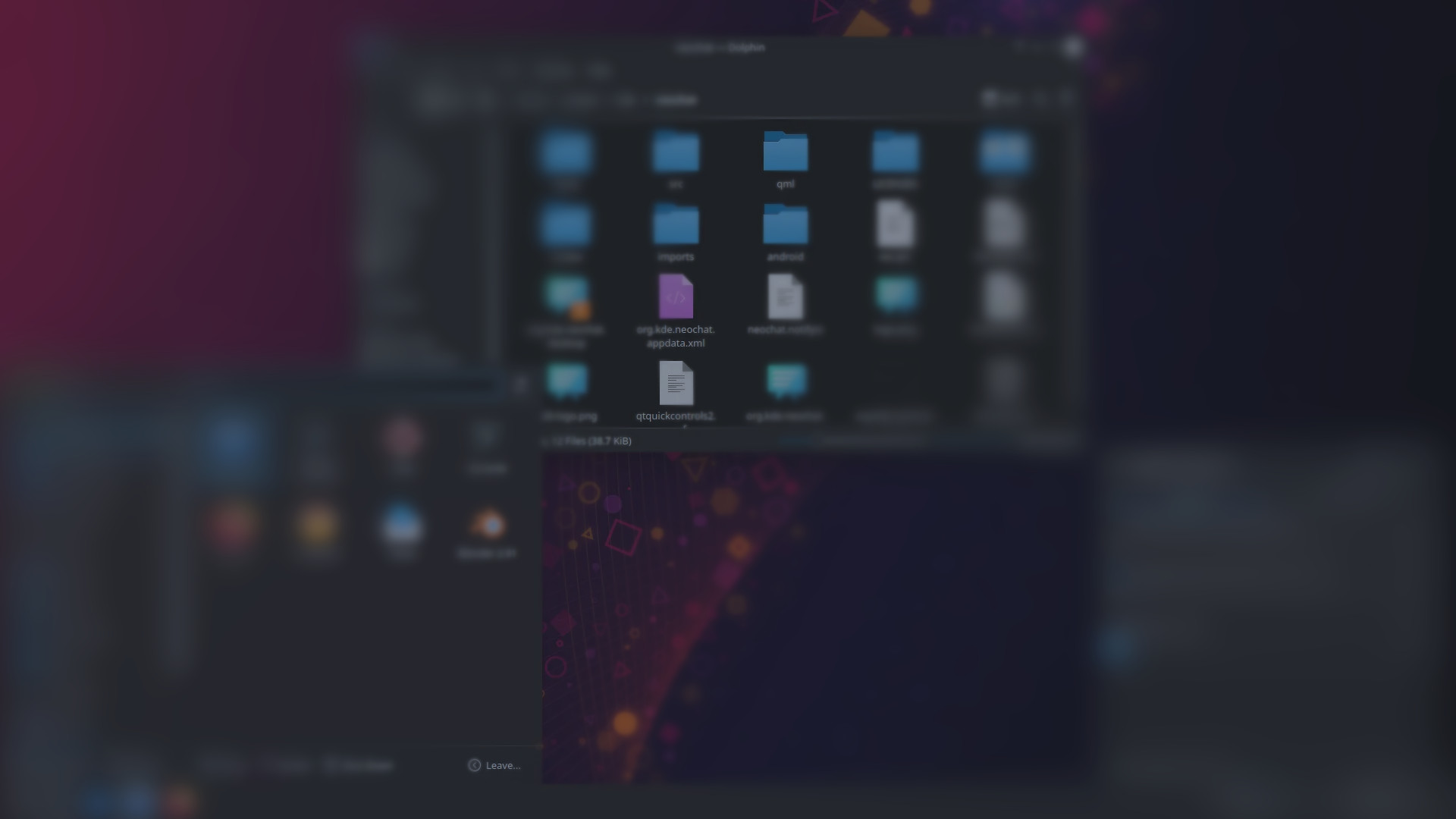
Linux computers with KDE Plasma
A computer that feels familiar - but without forced updates, data collection or licence fees. Pre-installed and ready to use right out of the box.
Swedish support
010 - 10 11 222
Secure payment
Swish, cards, crypto
5-10 days
delivery
Handbook
in Swedish
Built locally
in Dalarna
What makes Linux different from Windows and macOS?
Windows collects telemetry, forces updates and requires a licence. macOS locks you into expensive Apple hardware. Linux gives you the same features - but lets you decide.
Windows / macOS
- Telemetry sent to Microsoft/Apple
- Force updates - reboots when it suits the system
- Licence fees and subscription costs (Office 365, iCloud+)
- Advertising and suggestions built into the operating system
- Difficult to verify what the software actually does
Linux with KDE Plasma
- No telemetry or ”dialling home”
- You decide when and if you update
- Everything is free - no licences, no subscriptions
- Clean desktop environment without adverts or bloatware
- 100% open source - reviewable by everyone
The same things work: Surfing, emailing, writing documents, gaming, watching films, listening to music, etc. KDE Plasma looks and works like Windows - you hardly notice the difference in everyday life.
Concrete differences in everyday life
$0
Licence fee for operating system and office software. Windows + Office costs $200-400.
~15 sec
Start-up time from button press to desktop. No waiting for updates at startup.
10+ years
Typical lifetime of the hardware. Linux does not slow down over time and does not require a new computer to continue receiving updates.
Choose your Linux computer
Desktop or laptop? All computers come with Linux and KDE Plasma - a desktop that looks like Windows but gives you full control.
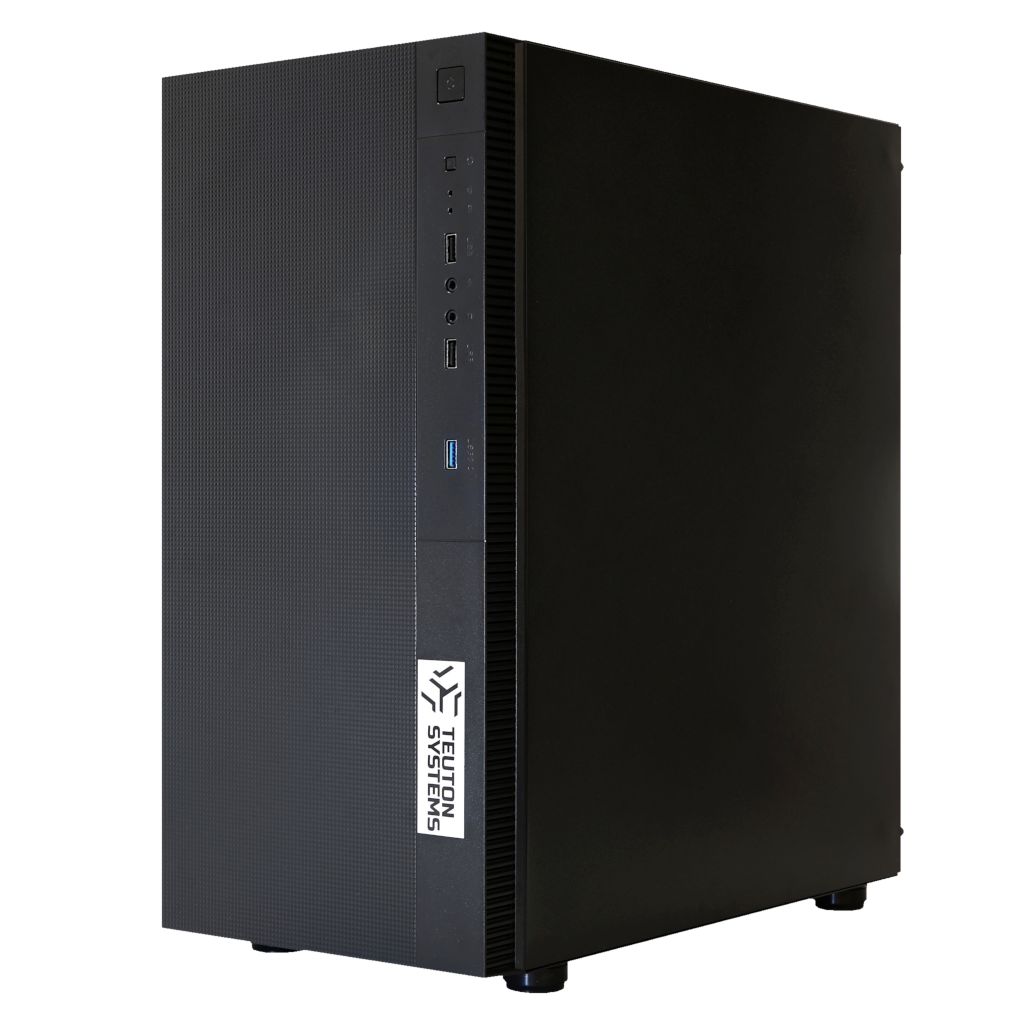
Stationary
Best performance for your money. Easy to upgrade. Built by hand in our premises. Compact mini-PCs or traditional towers.
From SEK 3 995
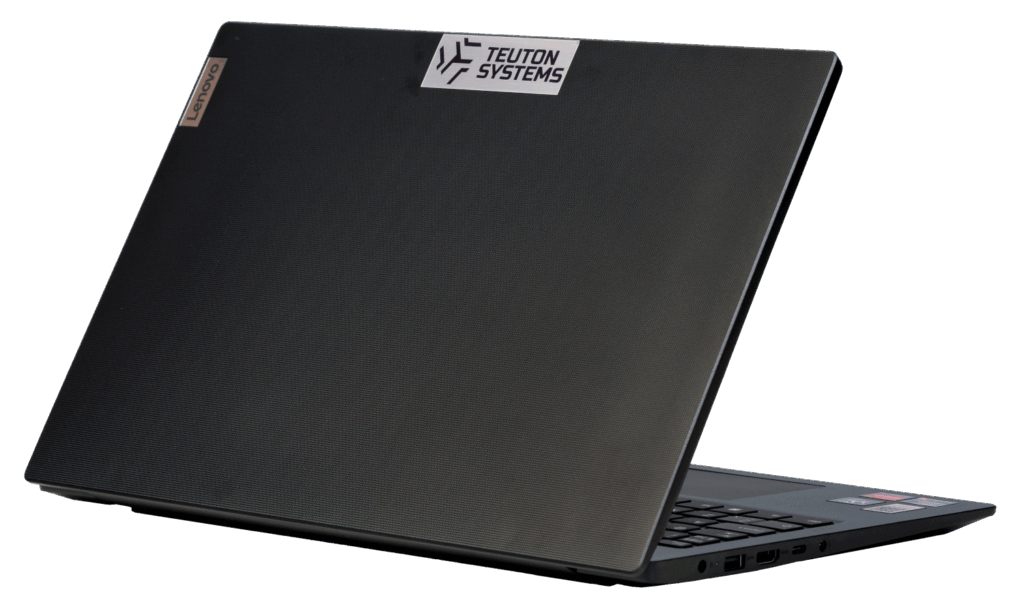
Portable
Work wherever you want. Based on Lenovo - known for durability and great keyboards.
From SEK 8 595
Do you want extra security or save money with a slightly scaled-down configuration?
Read more about Basic Linux vs. Teuton Systems concept →
Not sure which one? Call us on +4610-10 11 222 and we'll help you choose.
What you get
In the box
- Complete computer (desktop or laptop)
- Power cable / charger
- Handbook in Swedish
- Passwords and account information
Included in the service
- Linux + KDE Plasma pre-installed
- Full disc encryption enabled
- VPN tunnel configured
- Secure apps pre-installed
- Office software (LibreOffice)
- Swedish support for questions
Why Linux computer from Teuton?
Encrypted from the start
All files are automatically protected. No one can access the contents in case of theft - without a password, the disc is unreadable.
Feels like Windows
KDE Plasma has a start menu, taskbar and file manager just like you are used to. No learning required.
No mandatory updates
You decide when and if you want to update. The computer will not restart itself in the middle of work.
VPN included
Your internet traffic is encrypted and cannot be traced to your address. Pre-installed and ready to use.
No licence fees
Everything is open source. No hidden costs, subscriptions or compulsion to pay for Office.
Support in Swedish
Call or email us. We'll help you get started without technical talk - and we'll be there if you get stuck.
Frequently asked questions
Before you buy - common considerations
Is Linux difficult to use?
No, it isn't. Modern Linux systems with KDE Plasma are as easy to use as Windows for everyday tasks. The desktop has a familiar layout with a taskbar at the bottom, start menu, system tray and a file manager (Dolphin) that is very similar to Windows Explorer. Browsing, email, documents, films and music work just like you're used to - you'll hardly notice the difference in everyday life. And we're here if you get stuck.
Image example
Do I have to use the terminal (command prompt)?
No, not for everyday use. KDE Plasma has graphical tools for everything you need in everyday life: installing applications via Discover (an app store), updating the system, connecting to Wi-Fi, configuring printers and managing files. The terminal is there as a powerful tool for those who want it, but you never have to open it. Think of it like the Windows command prompt - it's there, but most Windows users have never used it.
Does BankID work on Linux?
Yes, it does. For those who have Mobile BankID, it works exactly the same regardless of which operating system the computer is running, as everything is handled by the browser and a smartphone with the BankID app installed. You log in to the bank, the Swedish Tax Agency, 1177 or other e-services via the browser on your Linux computer and verify by scanning a QR code with your phone. In fact, banking on Linux can be considered safer due to the lower risk of malware and keyloggers. Unfortunately, BankID stopped its native Linux support back in 2014, so if you need the BankID application on your computer, you will need to have a separate Windows installation, either on a separate disc/partition (like on Desktop Gamer) or on a virtual machine from within Linux.
Can I use Microsoft Office?
There are several good options. LibreOffice comes pre-installed and opens Word, Excel and PowerPoint files. For the vast majority of documents, it works excellently, although complex formatting can sometimes differ marginally. Microsoft Office Online (via the browser) provides access to Word, Excel and PowerPoint for free via Microsoft account and looks just like the desktop version. Google Docs, Sheets and Slides are also available for those who prefer it. For most home users, these options cover all needs.
Can I run my Windows programmes?
Specific Windows software cannot always be run directly, but tools such as Wine and CrossOver can run many Windows programmes in Linux. Browser-based services (webmail, social media, banking, streaming) work identically regardless of the operating system. Most everyday applications also have excellent Linux alternatives. Examples of common ones include GIMP/Krita (image editing), Kdenlive (video editing), Thunderbird (email) and VLC (media player) - all free.
Can I play computer games?
Yes, gaming on Linux has improved dramatically thanks to Valve's Proton/Steam Play and the success of Steam Deck (running Linux). Over 90 % of the most popular Steam games now work on Linux via Proton, and any difference in performance is usually within 5-10 % compared to Windows, sometimes for the better. Single player and co-op games generally work fine. The important limitation: some multiplayer games with kernel-level anti-cheat systems (e.g. Valorant, Fortnite) do not work on Linux. The ProtonDB.com website provides detailed information on which games work. Desktop Gamer also comes with Windows on a separate disc for those games that do not yet support Linux. Guide: Playing in Linux →
Is my printer and scanner working?
Printer compatibility has improved significantly. HP printers have the best Linux support and often work instantly. Brother also has good support with downloadable drivers. Modern ”driverless” printers using IPP Everywhere or AirPrint generally work well. Canon and Epson can be more variable. For scanning, USB connection works better than wireless. A pre-configured computer comes with printer drivers pre-installed - you plug the printer in and it should be found automatically. If you are unsure of your printer model, please contact us before purchase.
Do Netflix, Spotify and Swedish streaming services work?
Yes, it does. Netflix, Disney+, Amazon Prime Video, HBO Max and Spotify all work in the browser. Spotify also has a dedicated Linux app. SVT Play, TV4 Play and other Swedish streaming services are fully HTML5-based and work seamlessly in Firefox or Chrome. A little tip: Netflix can be limited to 720p in Firefox but works in 1080p in Chrome.
Do Swedish government services (Skatteverket, 1177, Försäkringskassan) work?
Yes, they are. All these services are web-based and work in standard browsers. Login is via BankID, read more about this in the corresponding question. The Swedish Tax Agency's e-declaration, 1177 Vårdguiden and all the Swedish Social Insurance Agency's e-services work without problems from a Linux computer.
Can I go back to Windows if I am not satisfied?
Yes, absolutely. A hard drive can always be reinstalled with Windows. There is nothing irreversible about using Linux - your files can be copied to an external hard drive and you can install Windows at any time.
Why pay for a Linux computer when Linux is free?
You pay for the hardware, guaranteed compatibility, professional configuration, support and peace of mind. A pre-configured Linux computer means everything works out of the box - Wi-Fi, audio, graphics, printers - without you having to troubleshoot drivers yourself. It also includes pre-installed software, VPN, disc encryption and access to Swedish customer service. Think of it as the difference between buying a pre-built bike versus buying the parts and assembling it yourself.
Can I get Linux on my old computer instead?
Yes. We offer PC conversion as a service - you send your computer to us and get it back fully configured. Good for the environment and your wallet.
After the purchase - getting started
How do I install programmes?
KDE Plasma features Discover - a graphical app store that works much like Google Play or the App Store. You search for the application you want, click ”Install” and you're done. Discover manages applications from the system's official package repository as well as Flatpak (via Flathub), which offers thousands of applications. You never have to download installation files from websites. This is actually safer than the Windows model, as all programs come from verified sources.
What are Flatpak, Snap and AppImage?
These are different ways of packaging and distributing applications in Linux. Flatpak is the most common format and integrates directly into Discover - it packages applications in isolated environments (sandboxes) for extra security. AppImage is a portable file that can be run directly without installation. Snap is Ubuntu's format and works similar to Flatpak. In practice, you only need to use Discover - it handles the formats for you automatically without you having to think about it.
How do I update the system?
In Discover, there is an ”Updates” tab that shows available updates for the whole system and all installed applications at once - unlike Windows where each application is updated separately. You click ”Update all” at your convenience. No forced restarts, no ”Wait while we set up updates” screens, and no interruptions in the middle of work. Most updates don't even require a reboot. You decide when and if updates are applied.
Where are my files? The file system looks different.
Your personal files are located in the Home folder, which contains folders such as Documents, Pictures, Downloads and Music - just like in Windows. In the Dolphin file manager, you'll see ”Home” in the left-hand sidebar, and USB drives and external hard drives automatically show up under ”Devices” in the same sidebar. Linux doesn't use drive letters like C: and D:, but in practice you never have to think about the underlying directory structure.
Which Linux programmes are equivalent to my regular Windows programmes?
Here are the most common equivalents: Microsoft Office → LibreOffice (or Microsoft Office Online in the browser). Photoshop → GIMP. Outlook → Thunderbird. Windows Media Player → VLC Media Player. Notepad → Kate. Paint → Chalk. Movie Maker → Kdenlive or OpenShot. Explorer → Dolphin (KDE's file manager, often considered better than Explorer). All these programmes are free and available through Discover.
How do I connect my phone to my computer?
USB file transfer works in the same way as you are used to. In addition, KDE Plasma has a unique advantage: KDE Connect. It's a built-in feature that wirelessly connects your Android phone to your computer, provided your computer has Wi-Fi or Bluetooth. You can transfer files, synchronise notifications, share clipboards, control the media player remotely and even reply to SMS from your computer. Just install the KDE Connect app from Google Play on your phone.
How do I back up my files?
Two types of backup are recommended. Timeshift creates system restore points - if something goes wrong, you can restore the system to a previous working state (similar to System Restore in Windows). Déjà Dup or Back In Time copies your personal files (documents, photos, music) to an external hard drive or network storage. The best combination is Timeshift for the system and Déjà Dup for personal files.
Where can I get help if something doesn't work?
The big advantage of a pre-configured computer from us is that you have access to Swedish customer support - you can call or email instead of searching forums. Beyond that, there are plenty of resources: the distribution's official forums and wiki, Reddit groups like r/linux4noobs, KDE Community forums for Plasma-specific questions, and Swedish communities like the SweClockers Linux forums.
Privacy and security
Is Linux really safer than Windows?
Yes, for several structural reasons. Linux uses strict separation of user and administrator rights - programs cannot make system changes without your explicit password authorisation. Software is installed from verified package repositories instead of being downloaded from random websites (the most common source of malware in Windows). Open source means that thousands of developers review the code continuously. In addition, Linux's low market share on the desktop makes it an unprofitable target for malware. Linux also doesn't have espionage built into the system (see next question). However, no platform is invulnerable - your browser and online habits are still the most important factors.
Does Linux spy on me like Windows does?
No, it doesn't. Windows collects mandatory ”diagnostic data” - hardware information, system events, error reports and usage patterns - which cannot be completely disabled. With Windows 11, telemetry has been further extended with AI capabilities and Copilot. Most Linux distributions collect zero telemetry data by default. Since the code is open-source, hidden tracking features would be immediately detected and exposed by the community. Important to note: The Linux operating system itself does not track you, but applications you install (e.g. Chrome, Discord) can still collect data - that's why we recommend privacy-friendly alternatives like Brave.
Do I need antivirus software?
No, for home use, dedicated antivirus software is not required. Linux architecture with permission system (files are not executable by default), centralised package repositories and low incidence of malware makes antivirus software unnecessary for desktop users. Instead, the most important security measures are to keep the system up-to-date, only install programmes from trusted sources (Discover/Flathub), use strong passwords and be careful with browser downloads.
What is disc encryption and why do I need it?
Disk Encryption (via LUKS) encrypts the entire contents of your hard drive with AES-256 encryption - the same standard used by banks and governments. In practical terms, this means that if your computer is stolen or lost, no one can access your files, photos, documents or passwords without your encryption password. With modern processors, performance is barely noticeably affected. Without encryption, anyone who gains physical access to your hard drive can read everything - no matter how strong your login password is.
What happens if I forget my encryption password?
Unfortunately, you're screwed. If you forget your encryption password and have no backup, your data is permanently inaccessible. There's no backdoor, no ”forgot password” option, and no customer service to unlock the disc - that's the whole point of encryption. However, LUKS supports up to 32 password slots, so you can add a spare password for extra security. Our advice: choose a strong but memorable passphrase (preferably four or five random words) and keep the password safe in a separate place.
Do I need a VPN?
Linux protects your computer, but not your network traffic. Without a VPN, your ISP can see which websites you visit. A VPN encrypts all internet traffic between your computer and the VPN server, so neither your ISP nor anyone on the same network can see what you're doing online. However, your VPN provider may be able to, so it might be worth considering which of them you trust the most (or least). VPNs are especially important on public Wi-Fi networks (cafés, airports, hotels). Our computers come with VPN pre-installed - you just need to switch it on.
How does Linux handle security updates compared to Windows?
You decide when to install updates - no forced restarts in the middle of a presentation or overnight. The update manager notifies you when new updates are available, and you choose when to install them. Most updates don't even require a reboot. The entire system and all installed applications are updated through a single update manager, instead of each application updating itself as in Windows. Security updates are released quickly by the open source community - often faster than for proprietary systems.
Good to know
Transferring data from your old Windows computer
Linux can read Windows formatted storage devices (NTFS) without problems. The easiest migration method is to copy the files to a USB stick or external hard drive. Browser bookmarks and passwords are automatically synchronised if you use the same browser account (e.g. Firefox Sync or your Google account).
KDE Plasma is more customisable than any other desktop
KDE Plasma is the most customisable Linux desktop. You can change the theme, icons, colours, fonts, window decorations, panel layouts and desktop widgets - all through System Preferences. There are even themes that make KDE Plasma look exactly like Windows 10 or Windows 11. But the important thing for beginners: you don't need to customise anything at all - the default setting works just fine and is already familiar to Windows users.
KRunner - a hidden superpower
Press Alt+Space to open KRunner, a universal search box. From there, you can launch programs, search for files, do mathematical calculations, convert units, search the web, and much more. It's like a faster and more powerful version of the Windows search bar. A feature that few new users know about but which is quickly becoming indispensable in everyday life.
Do not run commands you do not understand
If you are looking for help on the internet and someone suggests you type a command into the terminal - don't run it if you don't understand what it does, especially if it starts with ”sudo” (which gives administrator rights). Malicious commands do appear in forums and comments sections, just as with other operating systems. If you are unsure, contact our customer service instead.
Graphics cards: AMD performs better than NVIDIA on Linux
AMD and Intel graphics cards have excellent support with open drivers built directly into the Linux kernel. NVIDIA requires proprietary drivers which work but have historically caused more problems. A pre-configured computer comes with the correct drivers already installed, but it's good to know for future upgrades.
Windows 10 has come to an end - Linux is the alternative
With Windows 10 support ending and Windows 11”s even more invasive behaviour and hardware requirements excluding many older computers, interest in Linux has increased significantly. Linux works great on older hardware and KDE Plasma is surprisingly resource efficient despite its feature set. A computer that is ”too old" for Windows 11 can be given a new lease of life with Linux - without compromising on performance or security.
For those who want to know more
Technical details for those who want to dig deeper.
Encryption
All computers come with full disc encryption via dm-crypt. This means that all files are automatically encrypted and no one can access them without your password - even if the hard drive is removed from the computer.
Linux + KDE Plasma
We use Linux with KDE Plasma as our desktop environment. It gives you a stable and modern interface reminiscent of Windows, but with more customisation options and without data collection.
Not sure which computer you need?
Tell us what you need your computer for and we'll help you choose the right model. No pressure to buy - just honest advice.
+4610 - 10 11 222 - Monday-Friday
 SV
SV  EN
EN